Puddle Jump Through Life With Us - Living... Loving... Growing... washed in the love of Christ

Puddle Jump Through Life With Us - Living... Loving... Growing... washed in the love of Christ

Become a Fan on Facebook

Twitter Followers

Flowing River of Blessings


It's time for a good book
Showing posts with label Online Math. Show all posts

Monday, July 27, 2015

TOS Review - UnLock Math Pre-Algebra

Unlock Math Review Homeschool math curriculum, 7th grade math curriculum, Homeschool Pre-Algebra, Online Math Curriculum
*

I was thrilled to get a chance to review the UnLock Pre-Algebra online learning from UnLock Math.


Unlock Math Review Homeschool math curriculum, 7th grade math curriculum, Homeschool Pre-Algebra, Online Math Curriculum


What is UnLock Math?

UnLock Math is an online math curriculum program. Basically, the student "unlocks" segments of a 5-step process within every lesson. He or she follows the path to the next segment until each lesson and each section of lessons are complete. The lesson steps include:

Warm Up - These are sort of like speed drills but aren't timed. They generate math questions, like adding and subtracting 1-3 digit numbers. There are about 10 questions to complete each time you unlock the Warm Ups.

Video Lesson - These lessons are short, seemed to be about 10 minutes or less per lesson. Sometimes there are fun parodies but are mostly a female instructor, Alesia Blackwood, explaining the new skill to be learned.

Practice Problems - After viewing the lesson, this section presents problems related to the newly learned concept or skill.

Stay Sharp - Similar to the Warm Ups, the student answers about 10 math questions.

Challenge Yourself - This one contains one challenge question that is sometimes in the form of a word problem and is, as the name implies, a bit more challenging than the other problems in the lesson.

Finally, there is a tab that includes the Reference Notes from the lesson that can be printed for review and reference, as it is in a PDF format.

Unlock Math Review Homeschool math curriculum, 7th grade math curriculum, Homeschool Pre-Algebra, Online Math Curriculum


I received access for one year to this online program which included a parent log on and a student log on. Within the parent log on, I was able to assign the Pre-Algebra course to my child and view progress reports, which are also view-able to the student on the Student Dashboard. I could also print the reports for record keeping.

How Did We Use It?

UnLock Math Review, TOS Review Homeschool math curriculum, 7th grade math curriculum, Homeschool Pre-Algebra, Online Math Curriculum

I was asked to use this online math instruction curriculum at least 3 days a week. Since the lessons were directed specifically to a student learning Pre-Algebra, I knew which child would benefit most. I sat down my 13-year-old, who actually should be getting ready to take Pre-Algebra, but instead, just completed a year of this level of math and is ready to take High School Algebra in the fall. So, in theory all of this Pre-Algebra learning should have been review for her. Though, there was some information that even I learned because the teacher on the videos really makes the facts memorable.

What Did We Think?

The way this program is designed is very logical. The student takes part in small segments of learning within each lesson, which I found to be wonderful, because it presents just enough information in one setting to learn a new Pre-Algebra concept but not too much as to overwhelm. As the name of the product suggests, it is as if the student is unlocking each new segment, like a challenge, which I really like. I also appreciated that it allows for printing the Reference Notes. This is a big plus in my book since the child chosen for the review is huge on workbook text style of learning. I really like the way each lesson is presented, almost like a video game with levels to conquer, of course, in a learning style rather than a gaming format. The underlying concept is there, encouraging the student to accomplish each step within each lesson toward success.

Find UnLock Math on Facebook, Twitter, Pinterest, Google+, and Instagram.

Read what other members of the TOS Review Crew thought by clicking on the picture below:

Unlock Math Review


Crew Disclaimer

Monday, June 15, 2015

TOS Review - CTC Math

CTCMath Review

I was thrilled to get a chance to review the 12 Month Family Plan for the online US curriculum from CTC Math.


What is the 12-Month Family Plan for the US curriculum from CTC Math?

CTC Math is an online program that presents short video lessons followed by tests, called questions. The questions are also in an online, fill-in-the bubble style of on-screen test. Though, there are some features that are printable, such as the lesson summaries, as well as test results. Also included are Speed Drills. The lessons are presented with visuals of the math concept being learned for that specific lesson - Not a teacher standing in front of a classroom lecturing.

The 12 Month Family Plan allows you to use it with up to ten children. There are diagnostic tests and also Speed Skills games. Lesson Summaries and Test Results can be easily printed for record keeping or reference. The program also generates weekly updates in the form of an email that comes directly to the parent/teacher's inbox.

The program covers Kindergarten through Trigonometry, Algebra, Geometry and Calculus, with family plans for up to ten children.

I thought that allowing the program to be used for up to ten children was wonderful for many homeschooling families who have several children to teach. Since we don't have ten children, I will share how two of my children put the 12-Month Family Plan to use in learning math.

How Did We Use It?


I was most excited that my oldest son was offered the opportunity to use this program. Not only because he is an online learning junkie, but he also is now in high school and I am looking for curriculum to give him proper higher level math instruction. My son is unique in that he really excels when unschooled rather than following textbooks. So, my main concern was where to place him. The Algebra seemed to be almost too easy, bu then the Calculus was almost too challenging. Thankfully, there are diagnostic tests that paint a clearer picture of what the student knows before deciding on where to place them. In the end, geometry was the winner for where to begin, which was perfect since he loves, breathes, sleeps and eats computer coding and especially dealing with 2D/3D on-screen animations.

I also checked out what CTC had to offer for my youngest, who is 8 but has a birthday that falls in late September. This technically put her in 2nd grade this year, but she has been doing some 3rd grade work. So, I was excited to see where she actually placed.

I first had her complete a diagnostic test for her grade level, and she mastered it. So, I was confident to know that starting her off at the next grade level would be ok.


The graphics for my younger daughter's level were so wonderfully colorful, and the short lesson presentations work so much better for this little antsy, can't-sit-still, easily bored learner. The way the lessons are presented in very short, 2-minute or so snippets, made these online math lessons so much more appealing for her.


What Did We Think?

I like how the lessons are usually just short, presenting only the facts that are needed to master that particular lesson, a little bit of information at a time, so as not to overload the student. On a side note, we also love the instructor's voice and accent - So pleasant to listen to that you almost forget you're learning a somewhat complicated core subject.

I love how you can print out the test results and also are able to print out the lesson summaries of each lesson. These printouts provide an at-a-glance resource for learning. I love that some of the high-school level lessons also have printable worksheets.

I appreciate how it gives the student three tries to achieve higher scores on the tests if they didn't get everything right the first try. It then averages the total percentage from the three tries to provide a final percentage, which can so easily be translated into a letter grade for the transcripts. The final averaged grade really reflects the child's true ability.

Find CTC Math on Facebook.

Read what other members of the TOS Review Crew thought by clicking on the picture below:


CTCmath Review


Crew Disclaimer

Tuesday, March 17, 2015

TOS Review: GPA LEARN

Critical Thinking Company Review

I was thrilled to get a chance to review GPALOVEMATH from GPA LEARN. I received a full year (12 months) online access.


What is GPALOVEMATH?


This is an online math program for students in Grades K-5 that uses three main ideas to teach math:


  • Learn
  • Engage
  • Motivate

The GPA stands for Great Parents Academy.


Learn:
Under the Learn tab, the program directs the child through learning using three different colored paths. Each path is unlocked one at a time and covers specific skills that are grade-level appropriate. Within each lesson, the student must first work through the instruction, followed by practice, and finally master a quiz.


Engage:
The idea behind this section is that students whose parents are engaged in their child's learning tend to achieve better results, so there is a social networking format concept where parents are able to connect online with their student by writing encouraging notes and such.


 Another way the program engages the students with the parent/teacher is through frequent progress report email updates.


Motivate:
As the child works through each level, he or she is awarded prizes that the parent selects. These might include 10 extra minutes before bed, extra screen time, or any award that you individualize. For me, I set up my daughter's awards to hug one of her stuffed elephants (elephants are her only motivation). There is also the option of choosing from marketplace awards, like Toys R Us or Target gift cards. 

How Did We Use It?


GPA Screenshot - Character on screen teachers by grade level


I was given access to use up to five learning levels, but since I only have one child within the K-5 grade range, I set up the account for my daughter. This process was super easy, and then I watched some instructional video and tried it out for myself before setting my daughter down in front of the computer. Once I did, I decided that it would be good for her to complete one lesson in the green path, one in the purple path, and one in the blue path each day. Though, you are able to decide how many lessons your child is able to handle and spend more time on new concepts they struggle with or less time on concepts they have already mastered.


Since she was working at the 3rd Grade level, The robot Abacus was her on-screen teacher who walks the child through the practice questions, explaining each step, and then when the child is ready, he or she takes the quiz. If the child performs well on the quiz, they are allowed to move on. Otherwise, they review and retake the quiz until they master it. My child did at least one of each of the colored paths each day.

What Did We Think?

It was very easy to set up the student account and to give my child computer time for each lesson. I really liked the idea of the reward systems set up to motivate the child, even though this particular child of mine isn't motivated by rewards. She is, however, motivated by encouragement which was definitely provided, both through my ability to send her encouraging notes through the program as well as the immediate feedback after each quiz which used encouraging expressions, like "Rock Star", or ""Nice Job". As a parent, I also really appreciated the communications through emails after my child had finished a lesson. I would receive updates and progress reports which, if I wanted to, I could print out for her school record portfolio.

Find GPA LEARN on Facebook, Twitter, and Pinterest.

Read what other members of the TOS Review Crew thought by clicking on the picture below:


GPA Learn Review
*
Crew Disclaimer

Saturday, March 8, 2014

K5 Learning Review Coming Soon

Just wanted to give everyone a heads up on a great upcoming review:

K5 Learning has an online reading and math program for kindergarten to grade 5 students. I've been given a 6 week free trial to test and write a review of their program. If you are a blogger, you may want to check out their open invitation to write an online learning review of their program.

I plan on reviewing this with my daughter during the next few weeks and check back here to let you know how it goes.

Thursday, September 26, 2013

Schoolhouse Review: VideoText Interactive Algebra Online

  photo logo_zps6535dbd7.jpg

I received online access to use the Algebra: A Complete Course lesson modules A-F, from VideoText Interactive.
 photo Algebra_productimage_zps6b262264.jpg

The package I received is called:

Algebra: A Complete Course and includes Modules A-F, online - $299

It includes Pre-Algebra, Algebra 1, and Algebra 2 and licensing for two students with 176 video lessons presented in logical order. Additional materials that are part of the package include online, but also printable:

360 pages of Course Notes
590 pages of WorkText
Solutions Manual
Progress Tests

Additional students may be added for $49. The license lasts three years.

If you prefer, you can purchase individual Modules, and there is also a DVD complete Algebra package you can buy, instead, for $529.

The Recommended Age/Grade Level and Teaching Approach:

Algebra is usually introduced at the end of the middle school years or the beginning of the high school years, so the program is intended to be used with students in this approximate age and grade range of Grades 8 through 12, but does leave room to adjust it for a younger or older student.

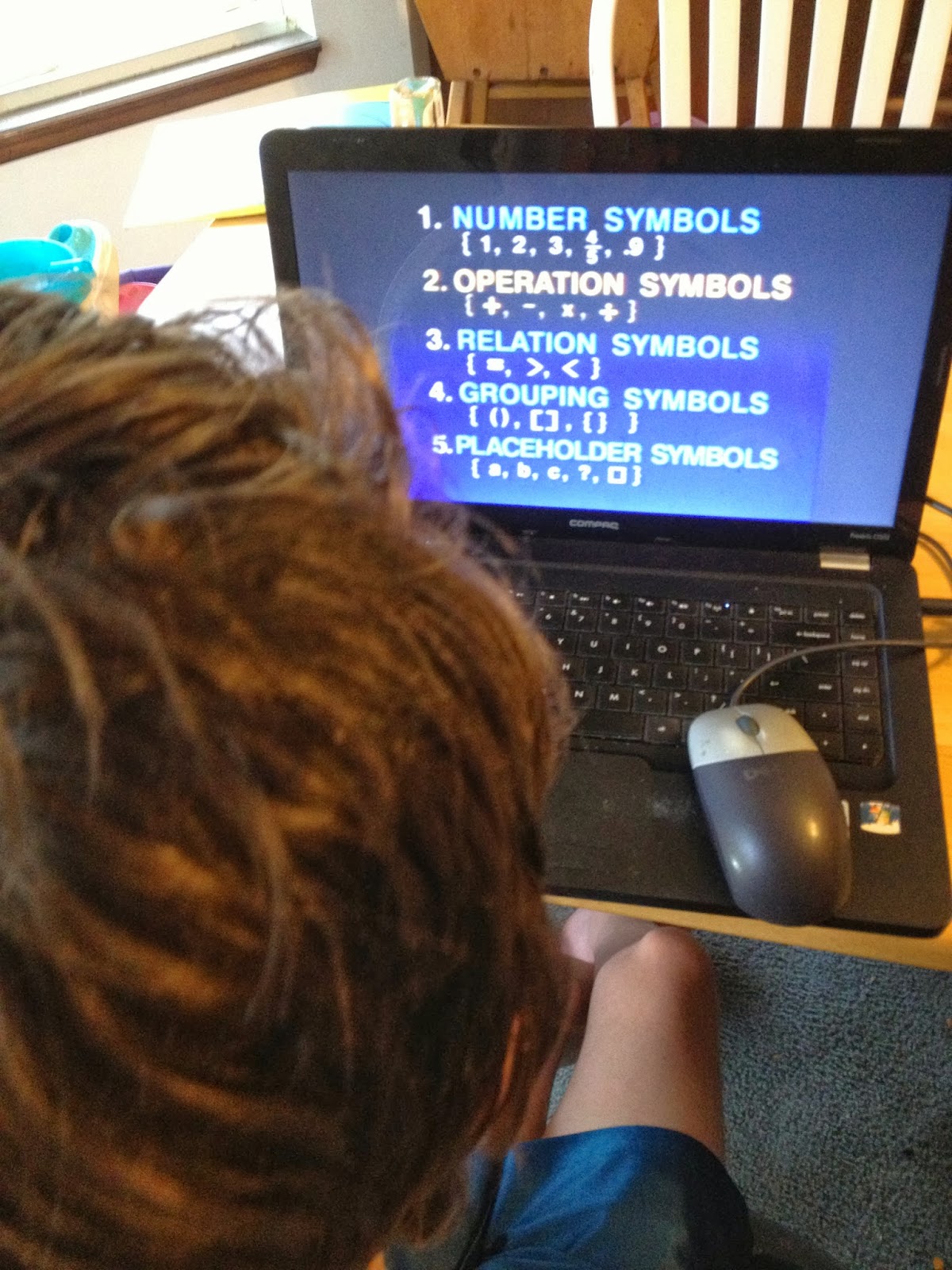
My son used the program for this review, and will be using it for his Algebra studies throughout the rest of the school year. He is 13 and in the 8th grade. The other math course we were previously using would have put him at a pre-algebra level, but this VideoText Interactive approach has been very easy for him to follow and grasp algebraic concepts.

VideoText Interactive does provide a helpful guideline to determine whether or not your child is ready for Algebra:

The program arrived in the form of an online subscription. Any printed material included is done by us by downloading it from the online program.

He is using the program on his laptop that runs Windows 7, and we have been printing out the tests for him to take and then compare his answers with the online answer key, which you could also instead print out.

VideoText Interactive Algebra presents the math “text” as an online video. Everything is online, but it does provide activities and tests that you print at home, on a home printer, as needed.

The program takes a unique approach to teaching. Instead of a spiral approach, where one method builds on another and a ton of memory work is needed; VideoText Interactive Algebra uses an analytic approach. It presents the material of each lesson on a video that lasts between five to ten minutes, but could end up taking as long as 15-20 minutes or longer depending on how often your child needs to pause it. 

While it includes Pre-Algebra, Algebra I and Algebra II in the package, it is not presented in the traditional format you may be used to. There is a guideline provided for you to customize the program for your child’s specific learning level.

The student is encouraged to use the pause button as often as needed to stop and make sure each concept that is presented is fully understood before moving on. Read more about the details of how to use the program here.

The makers of VideoText Interactive encourage any and all questions you might encounter along the way. The packet I received included a large amount of reading materials to get started so I fully understood the concept and how to use the program. It also included a phone number. They are there and ready to answer anything you need to know to help you and your student on their journey to learning Algebra. VideoText Interactive is also on Facebook

How We Used It:

I began watching with my son and looked over his test and frequently asked him where he went wrong when missing a problem. However, I quickly discovered that he was more than capable of doing all of this on his own. After I saw that he was flowing with the lessons, I allowed him to compare and “grade” his own tests after I printed them off for him to complete.


Did We Like It?

He really likes this video and analytic approach. He keeps asking if this is all there is to algebra or does it get harder? With each new concept, he keeps asking when it’s going to get harder. So, I can only assume that this approach is the reason he has picked up on how to do algebra so quickly. Another thing I liked is that the program gives each student the freedom to learn at their own pace, and there are two tests in the units, Test A and Test B. If the student needs more understanding in a particular area, they have the option of taking Test B as well as Test A.

I found the teaching approach and the teaching to be completely amazing and sound.  There are some colorful graphics, but seemed to mostly be a person talking.  It is not a super overload rapid-fire, updated fast, in-your-face style presentation.  If you and your student like this hyper stimulation style of video, you will find this to be more casual and laid back.  The only thing my son would have liked to see more of is more online interaction, where he could actually answer the questions online to receive immediate feedback.  However, I thought it was good practice for him to actually use a pencil and paper instead of just the electronic keyboard and mouse.

Please read what other members of the Schoolhouse Review Crew thought, here, or click on the picture below:

Photobucket
 photo DisclaimerGraphic1_zpsf612f371.gif