

The company offers additional courses as well that other Homeschool Review Crew members are reviewing to include:
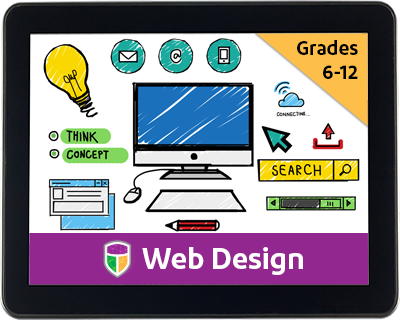 |
| Web Design |
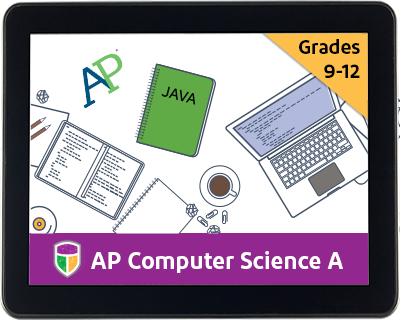 |
| Java Programming |
What is the Digital Savvy course from CompuScholar, Inc.?

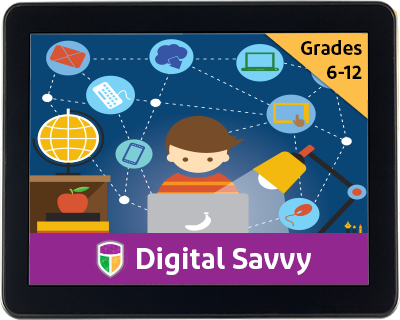
First, I want to mention that CompuScholar, Inc. used to be known as Homeschool Programming but has recently changed their name to CompuScholar, Inc. They began as a husband-wife, homeschooling parent team and with printed course books in 2008. The new company name now has expanded to incorporate their course offerings for both homeschoolers and public/private schools. While homeschoolers are still very much a part of the heart of the company, the name needed to reflect their expanded offerings of courses. I also want to point out that I had used the company's courses in the past, even used their printed text with my older son. So, I can tell you first-hand that the quality of what they offer has not been compromised in any way with the change of the company's name. If anything, it may have even improved. Though, it was really excellent from the start.
For the purpose of this review, I received two online codes to use: one for my student and one for the teacher (me). The Digital Savvy course is recommended for Grades 6-12. It is online and includes 25 chapters of lessons. Each lesson has a video presentation, text and a quiz. The teacher mode includes a teacher guide and quiz answers. The courses are self-study courses, and all activities that the student submits goes directly to the teacher for grading, not to the CompuScholar, Inc. company.
The course is intended to take two full semesters and comes with a syllabus that outlines the suggested use, usually taking about a week for each chapter. The chapters each include video instruction and textbook in an onscreen format that you could print if you prefer. Each section includes a short quiz, which the student has three attempts to master and is taken on the computer in multiple choice format, and finishes up with an assignment, which the homeschooling parent grades using a rubric that is included, and a final exam. The final chapter includes supplemental work.
The course covers:
Fundamentals of Computer Hardware
Fundamentals of Computer Software
Operating Systems
Computer Files
Computer Maintenance and Troubleshooting
Computer Networks
Search Engines
Computer Security
Word Processing
Spreadsheet Programs
Presentation Programs
Database Technology
Project Management and Teamwork
Mid-Term Project (Digital documents, spreadsheets, databases and presentations)
Digital Images
Internet Communications
Social Media
More Social Media
Creating Web Pages
Web Page Design
Web Links, Images, and Animations
Programming Concepts
Digital Logic
Careers and Professional Skills
Final Project (digital images, internet communications, social media, create website and write program with Scratch)
Supplemental Lessons (Computer Number Systems of Binary, Digital and Other)
For the purpose of this review, I received two online codes to use: one for my student and one for the teacher (me). The Digital Savvy course is recommended for Grades 6-12. It is online and includes 25 chapters of lessons. Each lesson has a video presentation, text and a quiz. The teacher mode includes a teacher guide and quiz answers. The courses are self-study courses, and all activities that the student submits goes directly to the teacher for grading, not to the CompuScholar, Inc. company.
The course is intended to take two full semesters and comes with a syllabus that outlines the suggested use, usually taking about a week for each chapter. The chapters each include video instruction and textbook in an onscreen format that you could print if you prefer. Each section includes a short quiz, which the student has three attempts to master and is taken on the computer in multiple choice format, and finishes up with an assignment, which the homeschooling parent grades using a rubric that is included, and a final exam. The final chapter includes supplemental work.
The course covers:
Fundamentals of Computer Hardware
Fundamentals of Computer Software
Operating Systems
Computer Files
Computer Maintenance and Troubleshooting
Computer Networks
Search Engines
Computer Security
Word Processing
Spreadsheet Programs
Presentation Programs
Database Technology
Project Management and Teamwork
Mid-Term Project (Digital documents, spreadsheets, databases and presentations)
Digital Images
Internet Communications
Social Media
More Social Media
Creating Web Pages
Web Page Design
Web Links, Images, and Animations
Programming Concepts
Digital Logic
Careers and Professional Skills
Final Project (digital images, internet communications, social media, create website and write program with Scratch)
Supplemental Lessons (Computer Number Systems of Binary, Digital and Other)
How Did We Use It?


I had used a couple programming courses from the company in the past with my older son, who is a computer guru now, but I wanted to expose my youngest, who tends to follow in his footsteps with technology, to it. The only possible obstacle is that she is younger than the recommended age, but still, I felt she could handle it.
There are two logins - one for the teacher and one for the student. Both have access to the courses, but the teacher login also includes additional information such as a grading rubric, teacher guides, and answer keys.
 .
.
There are two logins - one for the teacher and one for the student. Both have access to the courses, but the teacher login also includes additional information such as a grading rubric, teacher guides, and answer keys.

When the student logs on, they click on the course listed which takes them to a screen that lists the chapters. All they do from here is click on the chapters in order and follow the course, watching short videos and taking quizzes and submitting assignments.




What Did We Think?
The format is easy-to-use but not dumbed down by any means. We found the video instruction and the animations to be of good quality and informational. I also appreciated that the contents of the video was also included in a textbook format online. Another aspect that we really appreciated was that the quizzes give you instant results and show you any questions you got wrong and then gives you two more attempts to correct them, but when you take the quiz the second or third time, the multiple choice answers are not always in the same order. So, you have to know the answer and not just a letter to fill in to get it right. My older son, who has taken a couple courses from this vendor in the past, also noted that they included information that is helpful for an actual programmer and not just spewing out the history of computer science with facts that may or may not have any real-life use. We liked the graphics as well, and that's saying A LOT coming from my highly critical, computer age children who like to point out commercials with cheap graphics and a 10-year-old who will meticulously fill in pixel by pixel for sprites she has made for her brother's computer game creations.
FIND COMPUSCHOLAR ON SOCIAL MEDIA @:
Homeschool Programming
Facebook – www.facebook.com/HomeschoolProgramming
Twitter – https://twitter.com/HSProgramming @hsprogramming
CompuScholar, Inc
https://www.facebook.com/CompuScholar
https://twitter.com/CompuScholar @compuscholar
Facebook – www.facebook.com/HomeschoolProgramming
Twitter – https://twitter.com/HSProgramming @hsprogramming
CompuScholar, Inc
https://www.facebook.com/CompuScholar
https://twitter.com/CompuScholar @compuscholar
Read what other members of the Homeschool Review Crew thought by clicking on the picture below: